Integrating Webchat
This guide will show you how to embed an AI agent onto your site.
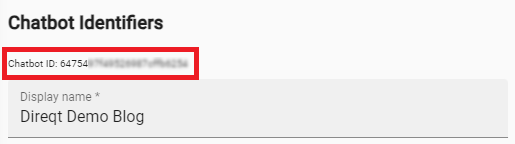
Finding Your Agent ID
Your agent ID is the agent's stable, URL-safe identifier (for example
agent-acme-bot-pj7r2qx4). You can find it in the Anychat console on your
agent's page in Agent Studio.
Adding The Embed Script
Place the following script tag in either the <head> or <body> section of your HTML file:
Note
Replace YOUR_AGENT_ID with your actual agent ID.
Warning
The script must include type="module". It will not work as a regular script.
Adding Your Agent
Use the anychat-webchat custom element to place your agent onto the page.
If you omit the <anychat-webchat> element, the embed will automatically inject one with modal layout.
Supported Attributes
| attribute | accepted values | description |
|---|---|---|
agent-id (optional) |
YOUR_AGENT_ID |
The agent to embed. If not set, uses the id from the script tag. |
layout (optional) |
modal, overlay, fixed |
How the agent is displayed. Defaults to modal. See Layouts below. |
placement (optional) |
bottom-left |
Align the overlay to the bottom left instead of the default bottom right. |
bottom-padding (optional) |
integer | Distance in pixels from the bottom of the page (overlay layout only). |
Layouts
modal (default) — A centered lightbox overlay with a dark backdrop. The chat is hidden until activated by a trigger element (see Opening the chat below).
overlay — A floating circular icon anchored to the bottom corner of the page. Clicking the icon expands the chat into a panel. Includes a message preview bubble.
fixed — The agent fills its container element. Use this when embedding the chat inline within your page layout.
Opening the chat
With the modal layout, place one of the trigger elements anywhere on your
page; clicking it opens the chat:
<!-- An inline text/button trigger — wrap any content you like -->
<anychat-text-button>Chat with us</anychat-text-button>

<!-- A floating launcher icon anchored to the page corner -->
<anychat-floating-button></anychat-floating-button>
The overlay layout includes its own floating launcher and needs no trigger.
Complete Example
<!DOCTYPE html>
<html>
  <head>
    <script type="module" src="https://embed.anychat.ai/embed.js?id=YOUR_AGENT_ID" async></script>
  </head>
  <body>
    <h1>My Website</h1>

    <!-- Option A: Explicit placement with fixed layout -->
    <anychat-webchat layout="fixed"></anychat-webchat>

    <!-- Option B: Overlay layout (or omit for auto-injected modal) -->
    <anychat-webchat layout="overlay"></anychat-webchat>
  </body>
</html>